Registering for LitterMapper
LitterMapper is part of the mybiOSis ecosystem—an open science environment designed to help
document, study, and protect biodiversity. The ecosystem includes mobile apps, websites, QGIS plugins, and more,
all working together to connect observations, research, and people. At its core is kladOS, a system that brings together
species data, habitat surveys, and user contributions into a unified, accessible framework.
To use LitterMapper, you need to create an account. This account gives you access to all open-access tools within the
mybiOSis ecosystem—register once, and you can sign in across platforms.
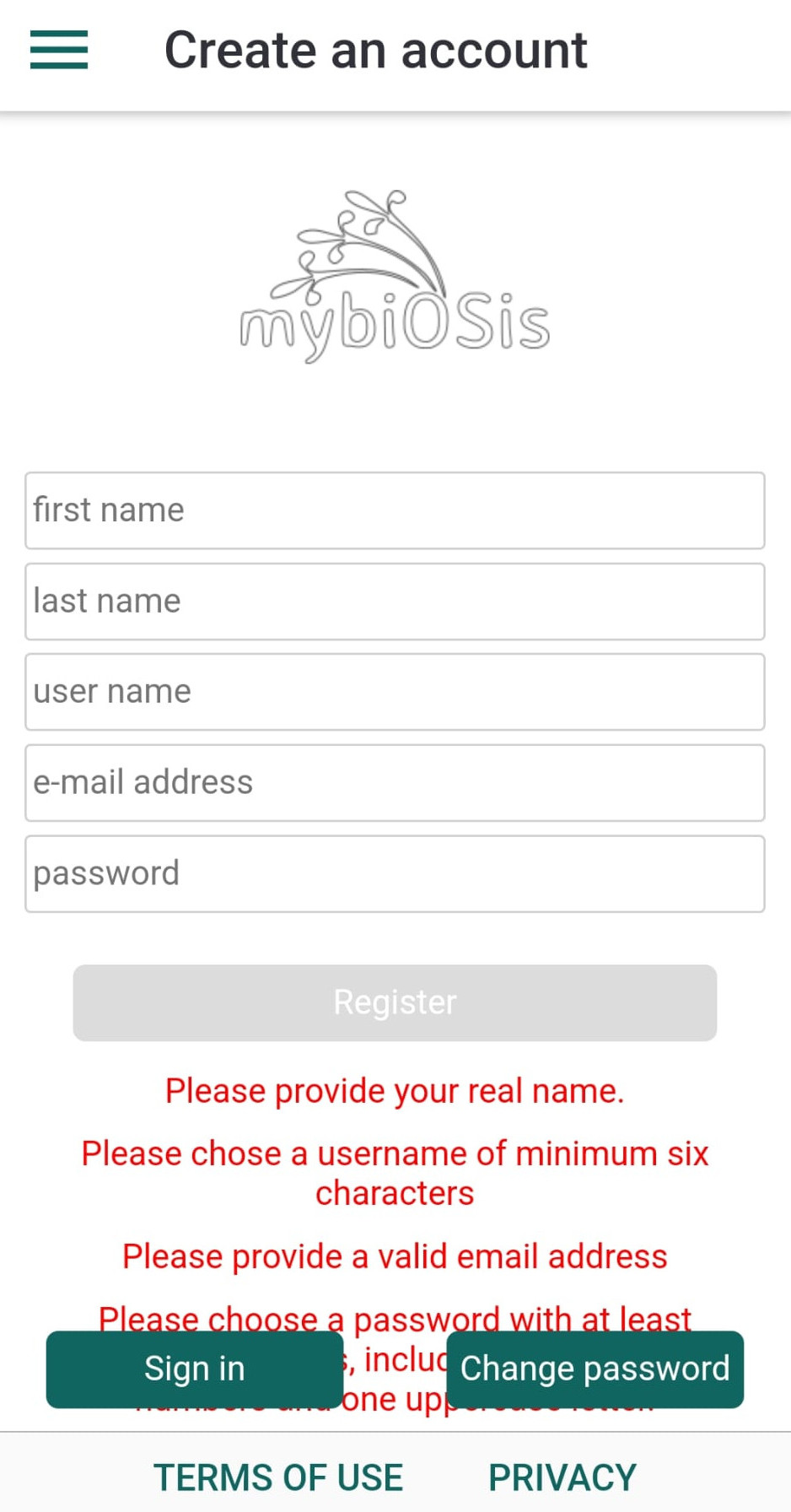
What You’ll Need to Register
- A valid email address (to confirm your account)
- A username with at least 6 characters
(please do not use an email address as your username, since usernames are visible across the ecosystem)
- A password with at least 8 characters, including:
- uppercase and lowercase letters
- at least one number
After Registration
- Check your email inbox for a confirmation message.
- Click the link in that email to verify your account—it will direct you to the kladia.info platform.
- If you don't see the message in your inbox, please check your spam or junk folder.
- If no confirmation email arrives within a few minutes, you can contact the team at info@kladia.info.
- After confirming your registration, return to the LitterMapper app and Sign in using the link in the app’s menu.
Links
Account & Preferences
Surveys
Mapping
LitterMapper webapplication in kladOS